Best Mechanical Keyboards for Beginners (2026)

You don't need to spend $150 or watch six hours of keyboard YouTube to get a great mechanical keyboard. In 2026, plenty of sub-$70 boards come with real mechanical switches, decent build quality, and zero tinkering required. These four are easy to buy, easy to like, and won't punish you for being new.
Quick picks
- Keychron C3 Pro — the safest first mechanical keyboard you'll find under $40
- Royal Kludge RK61 — the compact wireless board for small desks and travel
- Logitech K845 — the full-size, no-nonsense pick from a brand you already trust
- Akko 3068B Plus — the one that looks and feels pricier than it actually is
Keychron C3 Pro
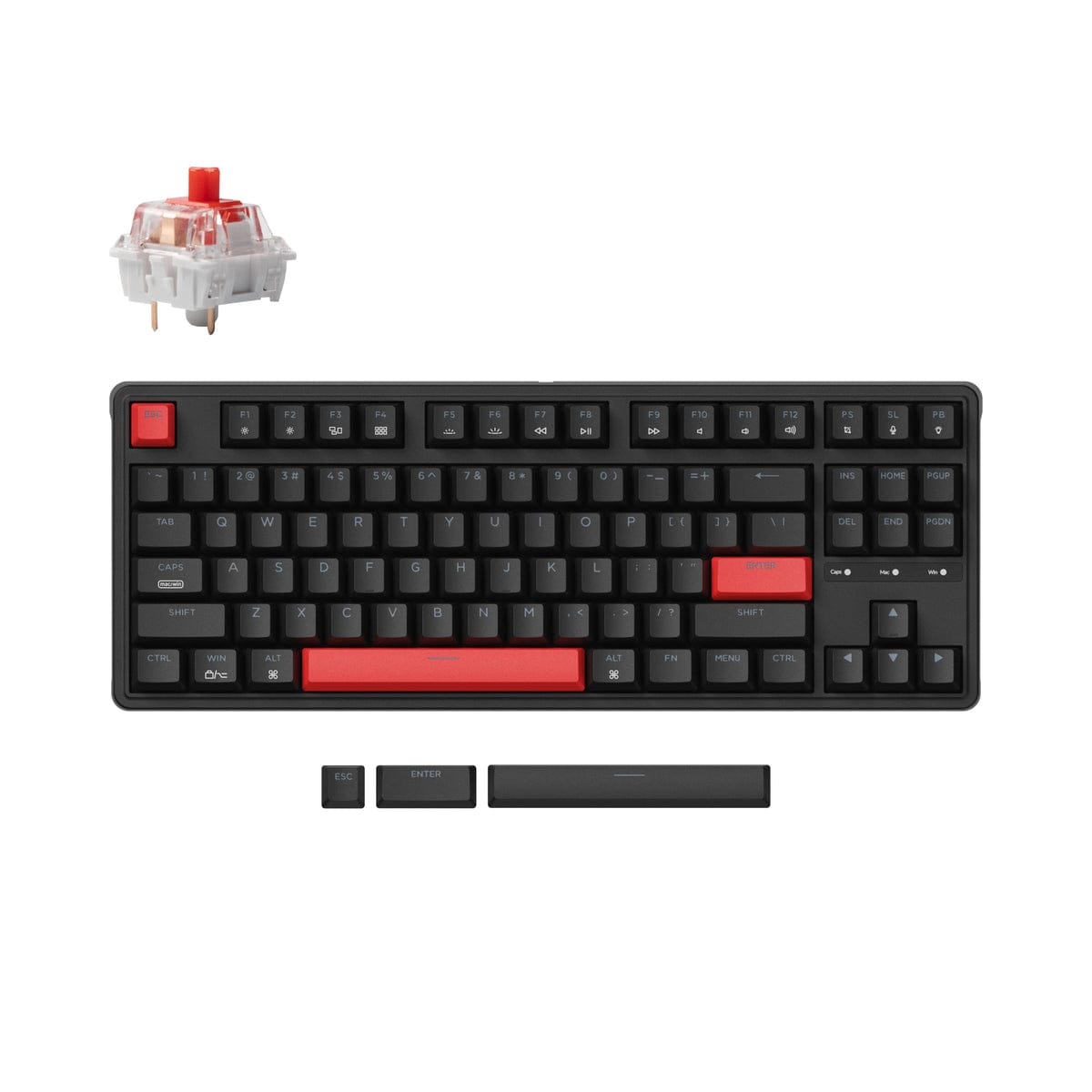
Keychron's C3 Pro is the board we keep recommending to first-timers. It's an 87-key tenkeyless layout — meaning it keeps the arrow keys and function row but drops the number pad to save desk space — with a gasket-mounted plate and sound-absorbing foam that make it feel calmer and more solid than keyboards at this price have any right to be. You choose between red (smooth and quiet) or brown (soft tactile bump) switches, and every key can be remapped with QMK/VIA, which runs in your browser with nothing to install.
- Standout features:
- Gasket mount + sound-absorbing foam for a smoother, quieter typing feel
- QMK/VIA support — remap any key or add macros in your browser
- Red or brown switch options included; USB-C wired connection
- Includes keycaps for both Mac and Windows
- Price & where to buy: $36.99 as of October 10, 2026 at Amazon (frequently drops to $25–$30 on sale)
- Who it's for: Anyone buying their first mechanical keyboard who wants maximum quality per dollar and doesn't need wireless. Note: it's wired-only and the switches aren't hot-swappable, so pick your switch color carefully.
Royal Kludge RK61
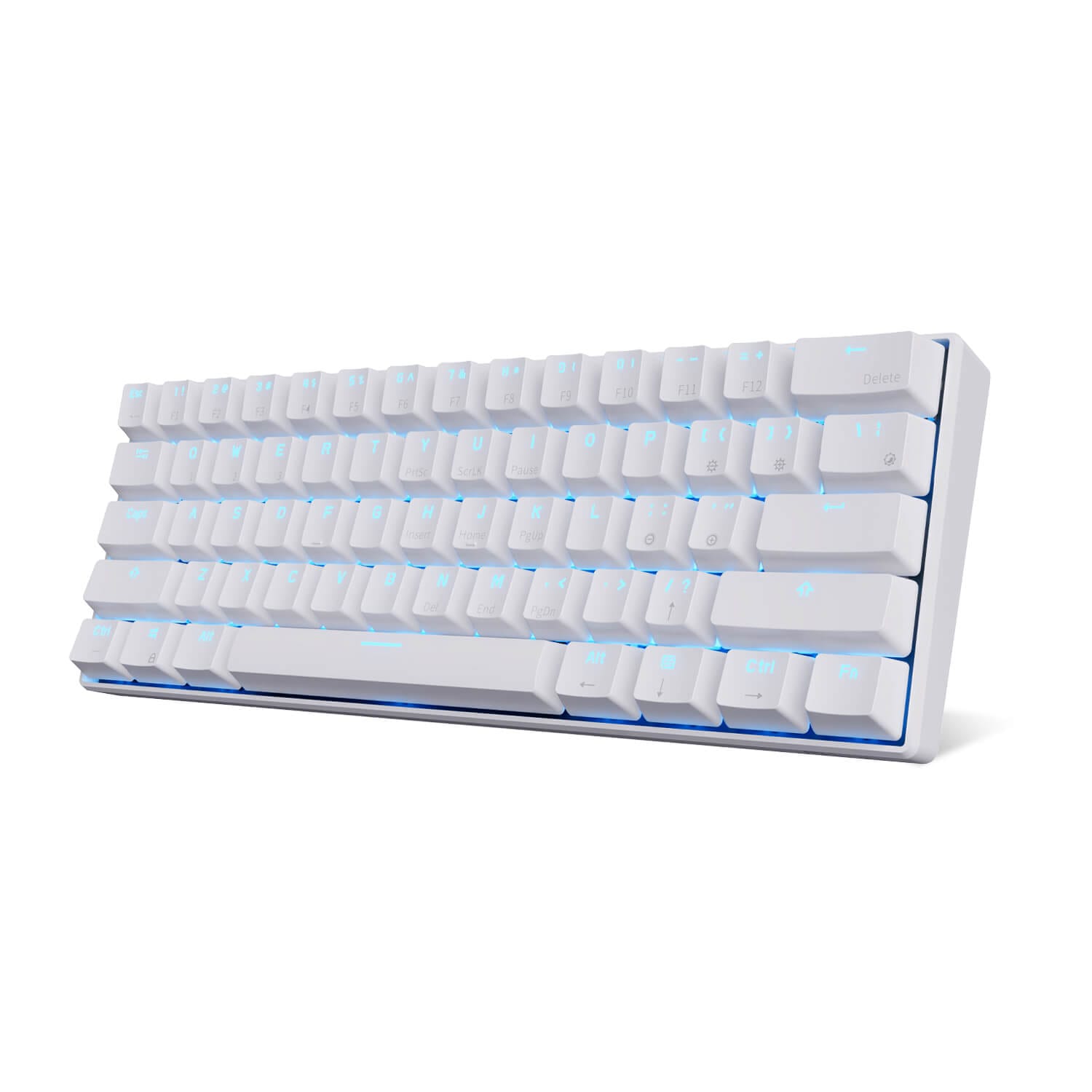
The RK61 is the classic budget gateway board, and it's still around for good reason: it's a tiny 60% keyboard (just the letters, numbers, and modifiers) that connects over 2.4GHz wireless, Bluetooth (up to three devices), or USB-C. It's hot-swappable, so you can pull the switches out and try different ones later without soldering anything — the single most beginner-friendly upgrade path in mechanical keyboards.
- Standout features:
- Triple-mode connectivity: 2.4GHz wireless, Bluetooth, and USB-C wired
- Hot-swappable switches — upgrade or replace them with no soldering
- RGB backlighting with multiple lighting modes
- Compact 60% layout frees up serious desk space
- Price & where to buy: $39.99 as of October 10, 2026 at Amazon
- Who it's for: Desk-space misers, travelers, and anyone who wants wireless without paying wireless prices. The 60% layout means arrow keys live on a function layer, which takes a day or two to get used to.
Logitech K845
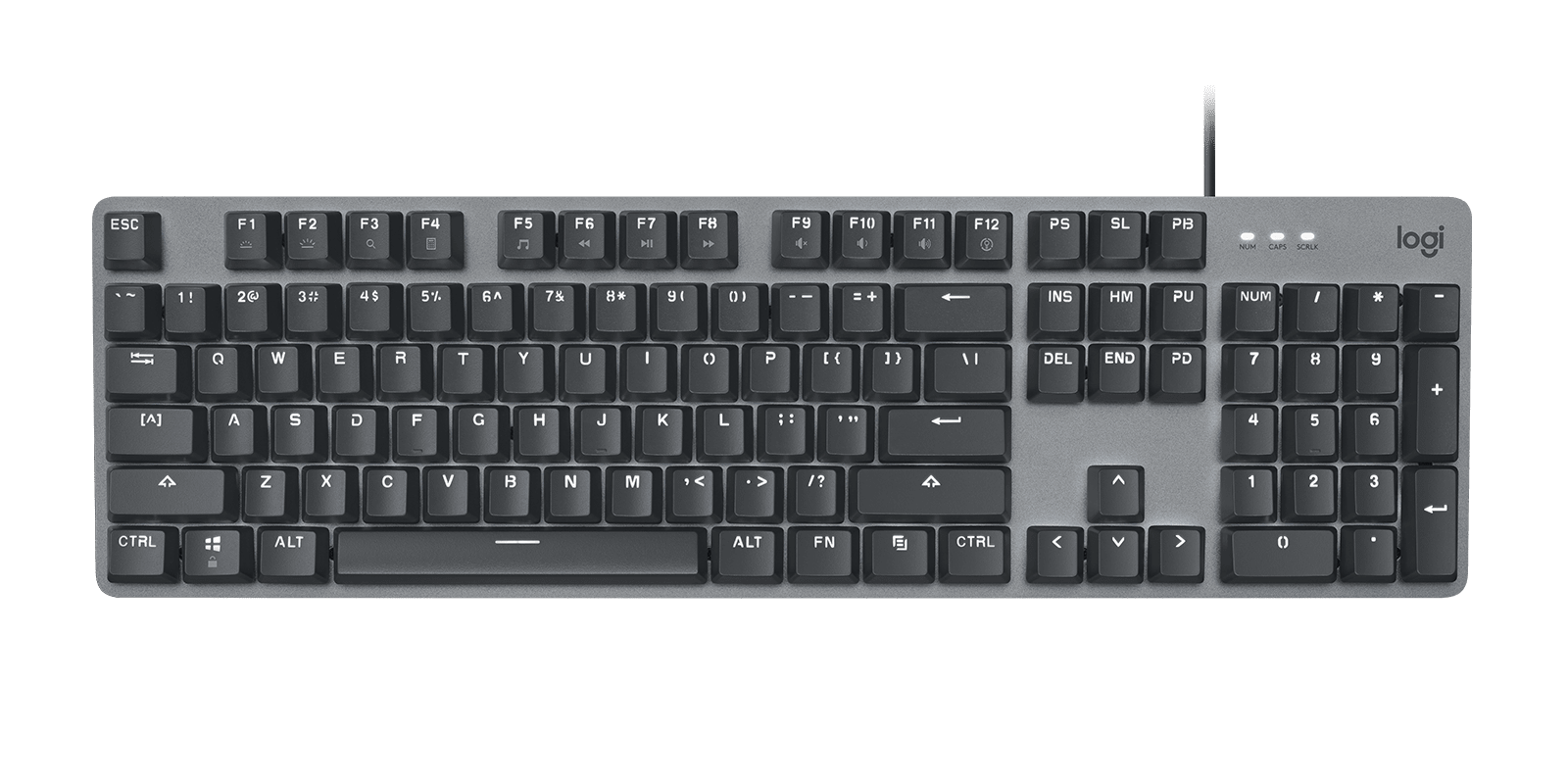
If the enthusiast-brand names make you nervous, the K845 is Logitech doing a straightforward mechanical keyboard: full-size with a number pad, aluminum top plate, and tactile or clicky switch options depending on the model. No software to learn, no layers to memorize — plug it in and type. It's wired, backlit with five brightness levels, and built to survive office duty.
- Standout features:
- Full-size layout with number pad — no learning curve
- Aluminum top plate for a sturdy, premium feel
- Five-level white backlighting with media shortcut keys
- Switches rated for 50 million clicks
- Price & where to buy: $49.99 as of October 10, 2026 at Walmart
- Who it's for: Spreadsheet users, office workers, and anyone who wants mechanical typing feel in a familiar, full-size package from a mainstream brand.
Akko 3068B Plus
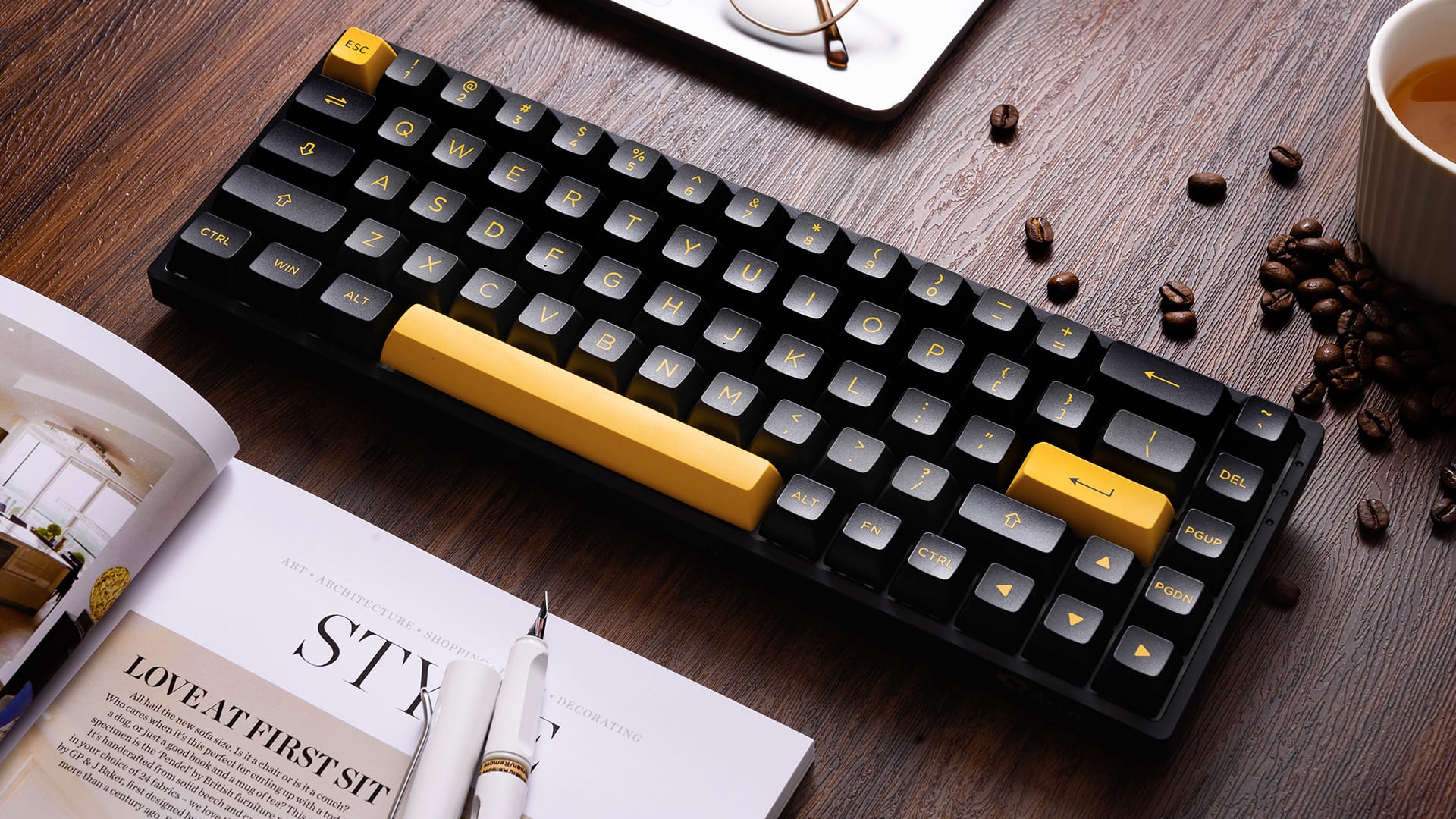
Akko sits halfway between the mainstream brands and the hobbyist world, and the 3068B Plus shows it: a 65% layout (adds arrow keys back compared to 60%) with tri-mode wireless, hot-swappable switches, and thick PBT keycaps that resist shine far longer than the ABS caps on most budget boards. It also just looks great — Akko's colorways are some of the nicest at any price.
- Standout features:
- 65% layout: compact, but keeps dedicated arrow keys
- Bluetooth 5.0, 2.4GHz, and USB-C tri-mode connectivity
- Hot-swappable with thick PBT keycaps that stay looking new
- RGB backlighting and macro support via Akko software
- Price & where to buy: $66.99 as of October 10, 2026 at Amazon
- Who it's for: Beginners who want a board that feels like a hobbyist pick out of the box — better keycaps, nicer looks, and room to grow with hot-swap.
Beginner box: What switch colors mean (red / blue / brown) — and what hot-swap is
Mechanical switches are usually described by color, and the color tells you how a key feels and sounds. Red switches are linear: smooth press, no bump, no click — quiet and popular for offices. Blue switches are clicky and tactile: you feel a bump and hear a sharp click — satisfying, but loud enough to annoy coworkers. Brown switches are the middle ground: a gentle tactile bump you can feel, without the loud click.
Hot-swappable means you can pull a switch straight out of the keyboard and push a different one in, with no soldering. On a non-hot-swap board (like the C3 Pro), the switches you buy are the switches you're stuck with. For beginners, hot-swap is the cheapest way to experiment with different feels later.
Deal table
| Product | Price | Merchant |
|---|---|---|
| Keychron C3 Pro | $36.99 | Amazon |
| Royal Kludge RK61 | $39.99 | Amazon |
| Logitech K845 | $49.99 | Walmart |
| Akko 3068B Plus | $66.99 | Amazon |
Prices as of October 10, 2026. Prices change — check the listing before you buy.
Verdict
Overall winner: Keychron C3 Pro. For under $40 you get gasket mounting, foam-damped sound, switch choice, and full remapping — a combination that genuinely embarrasses boards costing twice as much. The only catches are that it's wired and the switches aren't swappable, which most beginners will never care about.
Alternative: Royal Kludge RK61. If wireless matters to you, or you want a tiny board for a small desk, the RK61 adds triple-mode connectivity and hot-swap for about the same money — you just trade away the number pad and function row.