
What Is Refresh Rate? 60Hz, 120Hz, and 144Hz Explained (2026)
Refresh rate is how often your screen redraws each second. Here is how 60Hz, 120Hz, and 144Hz differ, how Hz differs from fps, and what VRR does.

Scrolling feels smooth on some screens and choppy on others, even at the same resolution. Often the difference is refresh rate. Here is what the Hz number means, how it differs from frame rate, and when more of it actually helps.
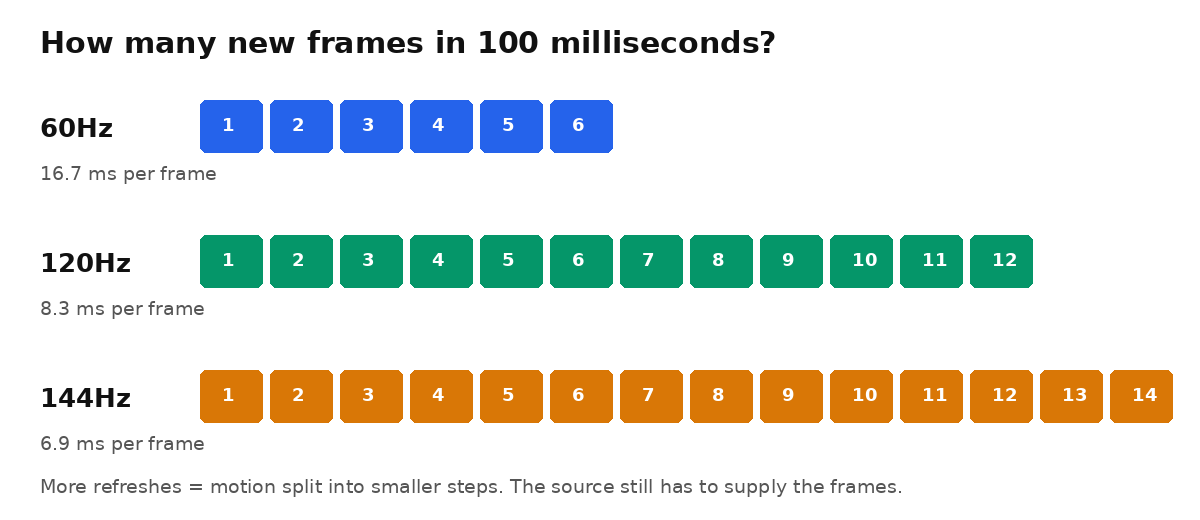
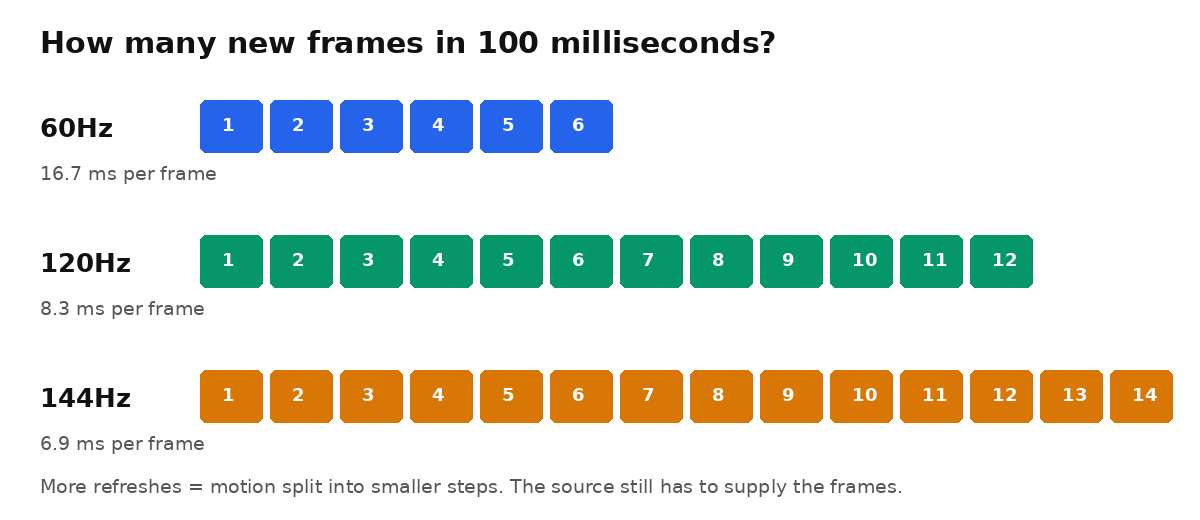
Diagram: Stack and Value. In the same 100 milliseconds, a 120Hz screen can show twice as many new frames as a 60Hz screen.
What it is
Refresh rate is how many times per second a screen redraws the image, measured in hertz (Hz). A 60Hz screen refreshes once every 16.7 milliseconds. At 120Hz that gap halves to 8.3 milliseconds, and at 144Hz it is 6.9 milliseconds. More refreshes split motion into smaller steps, so it looks smoother and responds sooner.
Do not confuse it with frame rate, measured in frames per second (fps). Frame rate is how many new frames the source creates — a console, graphics card, app, or video. Refresh rate is how many the screen can show. A 144Hz monitor fed only 60 fps shows 60 unique frames, and a 144 fps game on a 60Hz screen is still limited to 60 visible frames.
Variable refresh rate (VRR) closes the gap when frame rate keeps changing, as games do. A VRR screen refreshes when each new frame is ready instead of on a fixed beat, reducing screen tearing and stutter. Names for it include HDMI VRR on TVs and consoles, AMD FreeSync, and NVIDIA G-Sync on PC monitors. Phones use a related trick — adaptive refresh (Apple calls it ProMotion) — lowering the rate for still images to save battery.
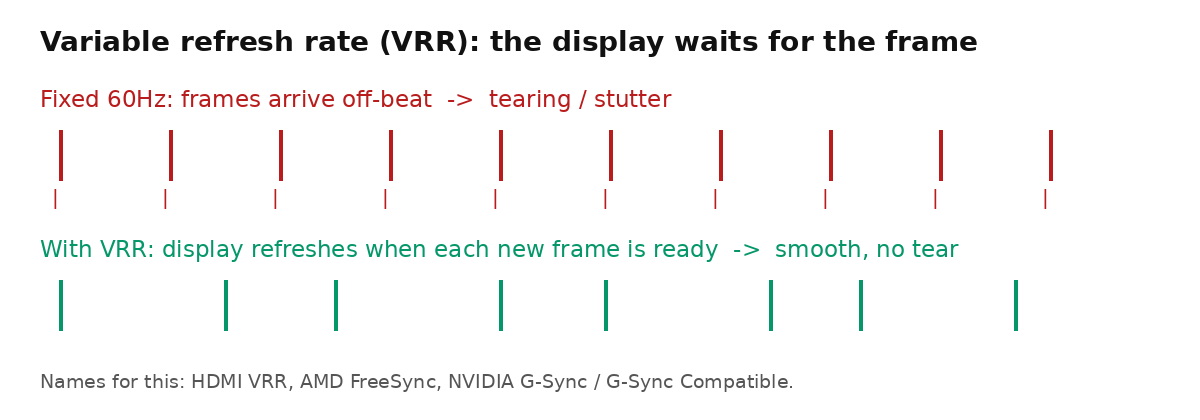
Diagram: Stack and Value. VRR syncs the display to the source instead of forcing the source onto a fixed beat.
Why it matters
The jump from 60Hz to 120Hz is the one most people notice: scrolling, swiping, and cursor movement look steadier, and fast games feel more responsive. That is why 120Hz is standard on flagship phones in 2026 — the iPhone 17 line, including the base model, and Samsung's Galaxy S26 series all use adaptive rates up to 120Hz. Cheaper phones are commonly 60Hz or 90Hz; a few gaming phones reach 144Hz or higher.
For gaming, refresh rate only pays off if the hardware can supply the frames. PlayStation 5 and Xbox Series X top out at 120 fps, and only in games with a high-frame-rate mode. On PC, 144Hz is the common sweet spot, with 240Hz and above aimed at competitive players. Most movies and streaming video run at 24, 30, or 60 fps, so a higher rate cannot add frames that were never there.
Diminishing returns are clear. Going from 60Hz to 120Hz halves the time between frames; going from 144Hz to 240Hz saves under 3 milliseconds per frame — real for serious competitive players, subtle for everyone else. Refresh rate is also not response time, how fast pixels change color. A slow panel can smear moving objects (ghosting) despite a high Hz number; OLED pixels change almost instantly, which is why OLED looks especially clear in motion.
What to look for / how to use it
Phones: 120Hz adaptive is the comfortable target; 90Hz is a worthwhile step up from 60Hz on a budget phone. Check that high refresh is actually enabled in display settings — some phones ship in a battery-saving mode.
Monitors: Match the screen to your graphics card. Buy 144Hz if your PC can sustain roughly 144 fps in the games you play, and look for FreeSync or G-Sync Compatible VRR either way. On Windows, set the higher rate manually in display settings; new monitors often default to 60Hz.
TVs: Look for the native refresh rate, not marketing names like "Motion Rate" or "TruMotion," which can describe a 60Hz panel with processing added. A native 120Hz TV with HDMI 2.1 is what you need for 4K gaming at 120 fps from a console; 60Hz is fine for movies and casual viewing.
Bottom line
Refresh rate is simply how often the screen can show you something new: 60Hz is adequate, 120Hz is the noticeable upgrade most people should aim for, and 144Hz is the PC gaming sweet spot. Above that, the gains get small — and none of it helps unless the source is sending enough frames to fill the screen.

Member discussion