
What Is OLED Burn-In? (2026)
Burn-in is a permanent ghost left by static logos, tickers, and game bars — but most of what people see is temporary retention. Here is the difference and how to prevent it.

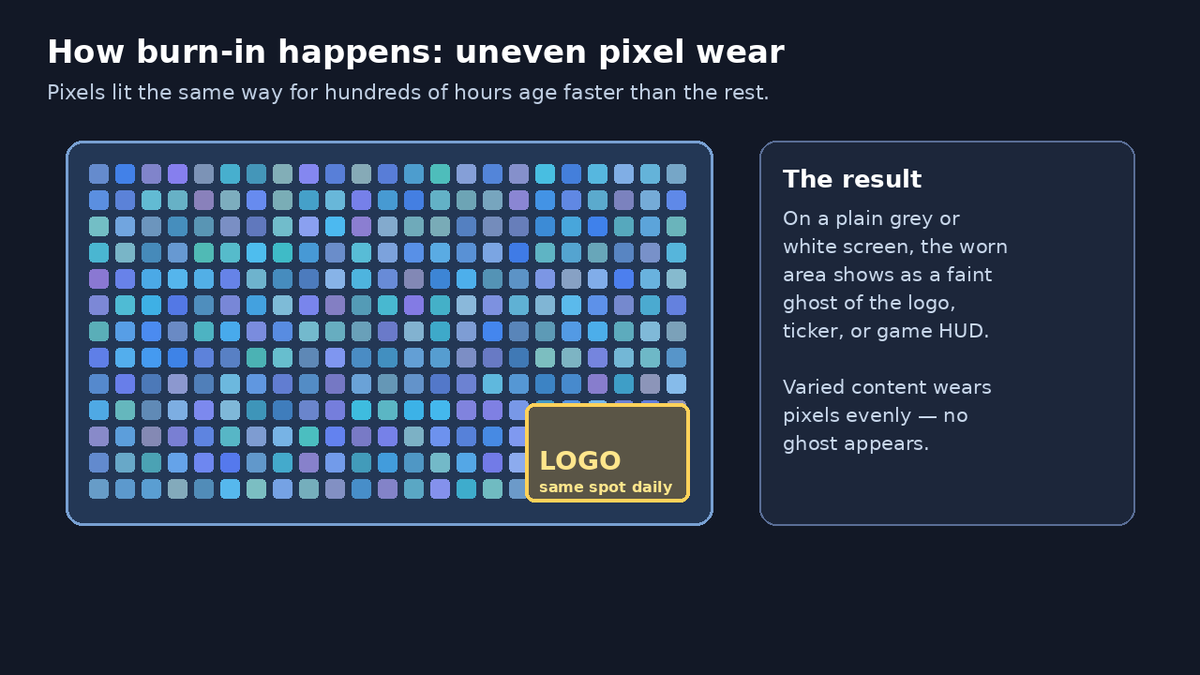
If you are shopping for an OLED TV, phone, or monitor, burn-in is the warning you will hear first. It is real, but normal use is rarely as risky as it sounds. Here is what it actually means, and how to prevent it.
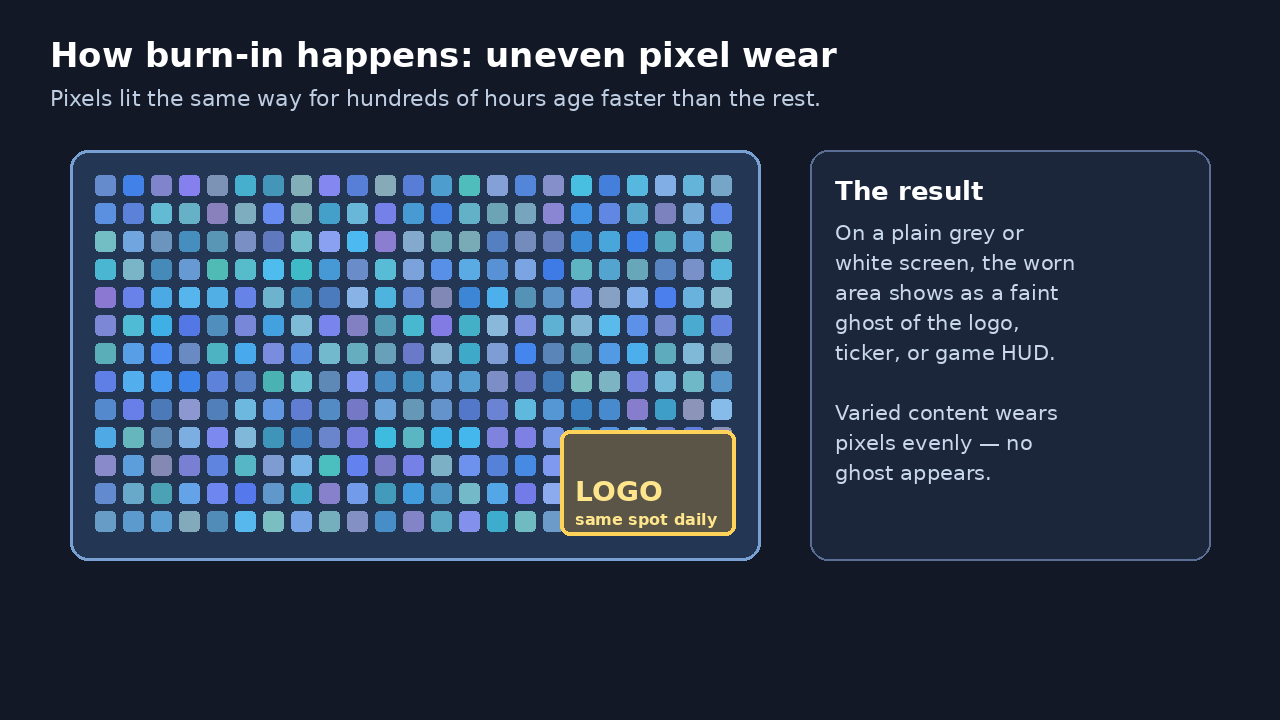
Diagram by Stack and Value (original illustration)
What burn-in is
OLED stands for organic light-emitting diode. Each pixel makes its own light, which is why OLED can show true black — a black pixel is simply off. The trade-off is that those organic pixels wear as they work, and brighter use wears them faster.
Burn-in is uneven wear. If the same bright element sits in the same place for hundreds of hours — a channel logo, a news ticker, a game health bar, or a computer taskbar — those pixels age faster than the ones around them. Afterwards, a faint ghost of that element stays visible, especially on plain backgrounds. That ghost is permanent.
Burn-in vs. image retention
These two get mixed up constantly:
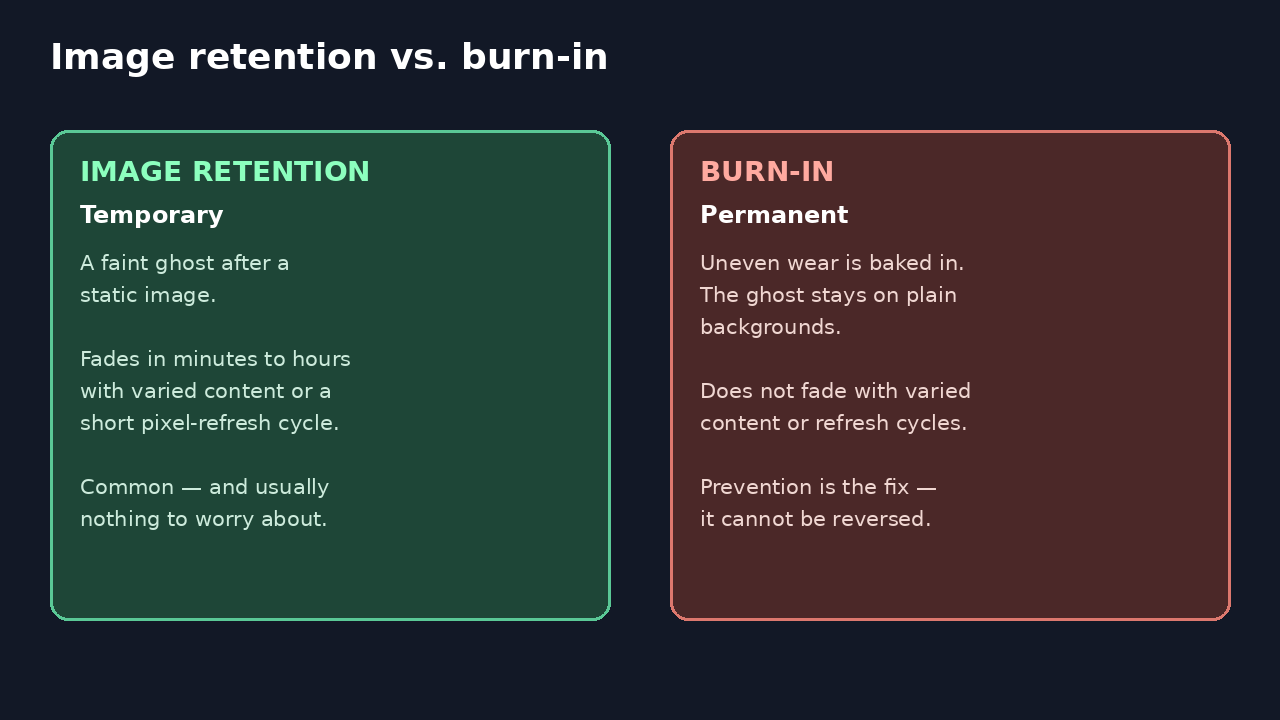
Diagram by Stack and Value (original illustration)
- Image retention is temporary. A faint afterimage appears after static content, then fades within minutes to hours with varied content or a short refresh cycle. It is common and usually harmless.
- Burn-in is permanent. The ghost does not fade, because the pixels themselves have aged unevenly.
Most alarming photos online are retention, not burn-in. If a ghost disappears, it was retention.
Why it matters — and how likely it is
For mixed, everyday use — films, shows, sports, different games — burn-in is unlikely to be a practical problem. The risk concentrates in one pattern: the same static, bright element, for hours a day, every day, over months. Long-term tests that force exactly that — the same news channel at maximum brightness for thousands of hours — do produce burn-in. That is a stress test, not normal viewing.
How to prevent it
- Vary what you watch and play. Varied content wears pixels evenly. Avoid leaving one static image, a paused game or one news channel on for hours at a time.
- Leave the built-in protections on. Modern OLEDs include pixel shift (LG calls it Screen Shift), which moves the picture by a few pixels, and logo dimming — LG's Logo Luminance Adjustment, Samsung's Auto Logo Brightness. Sony likewise builds in Pixel shift.
- Let refresh cycles run. LG's Pixel Refresher, Samsung's Pixel Refresh, and Sony's Panel refresh even out wear, and short cycles run automatically when the screen is off but still powered. Turn it off with its remote or power button and leave it plugged in — cutting power at a strip stops the cycle.
- Be sensible with brightness and static screens. Lower brightness for long static sessions, use a dark or blank screensaver, and on a computer, auto-hide the taskbar or dock.
- Do not overuse manual refresh. Sony advises a manual Panel refresh only when retention is particularly noticeable — as a reference, about once a year — because more often may affect the panel's usable life.
How to check, and what a warranty covers
To check, display a plain grey or white full-screen image in a dim room and look for a faint logo or outline. Play varied content, let a refresh cycle run, and check again the next day. Gone, or clearly fading, means retention. Still there means likely burn-in, and no setting reverses it.
Do not assume a warranty will fix it — coverage varies by model and country, so search your own terms for "burn-in" and "image retention." Some monitors state it plainly: Dell says its QD-OLED panel warranty is limited to three years and includes burn-in. TVs are murkier: LG offers a five-year panel warranty on its premium G, M, W, and Z ranges in the UK, but that page does not promise burn-in cover, and Sony has told owners retention is not covered as a defect.
Bottom line
Burn-in is permanent uneven wear from static, bright content held in one place for a very long time; image retention looks similar but fades. For varied use the risk is low, and simple habits — mixed content, protections left on, refresh cycles allowed to run — keep it low.
Member discussion