
What Is an eSIM? How It Works and When to Use One (2026)
No plastic card, no tray: an eSIM stores your carrier plan on a chip inside your phone. How it works, which phones have it, and when it beats a physical SIM.

If you bought a phone in the US recently, it may not have a SIM tray at all. The plastic card your carrier used to mail you is now a chip inside the phone — the eSIM. Here is what it is, how it differs from a physical SIM, and how to activate one.
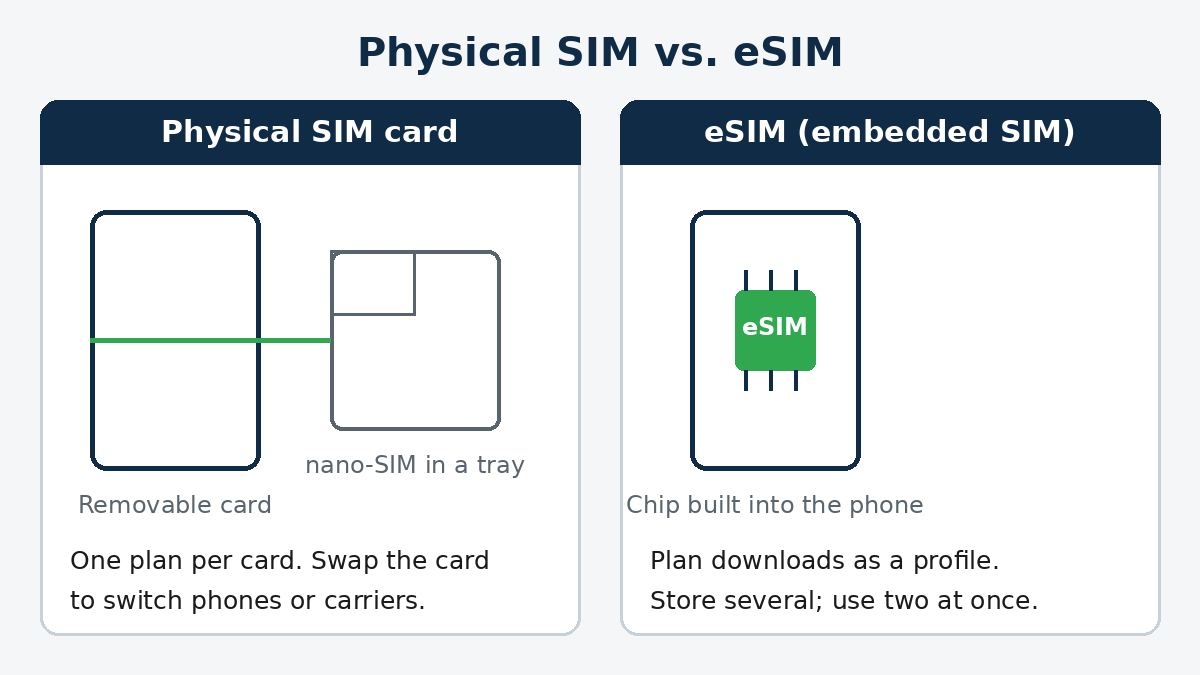
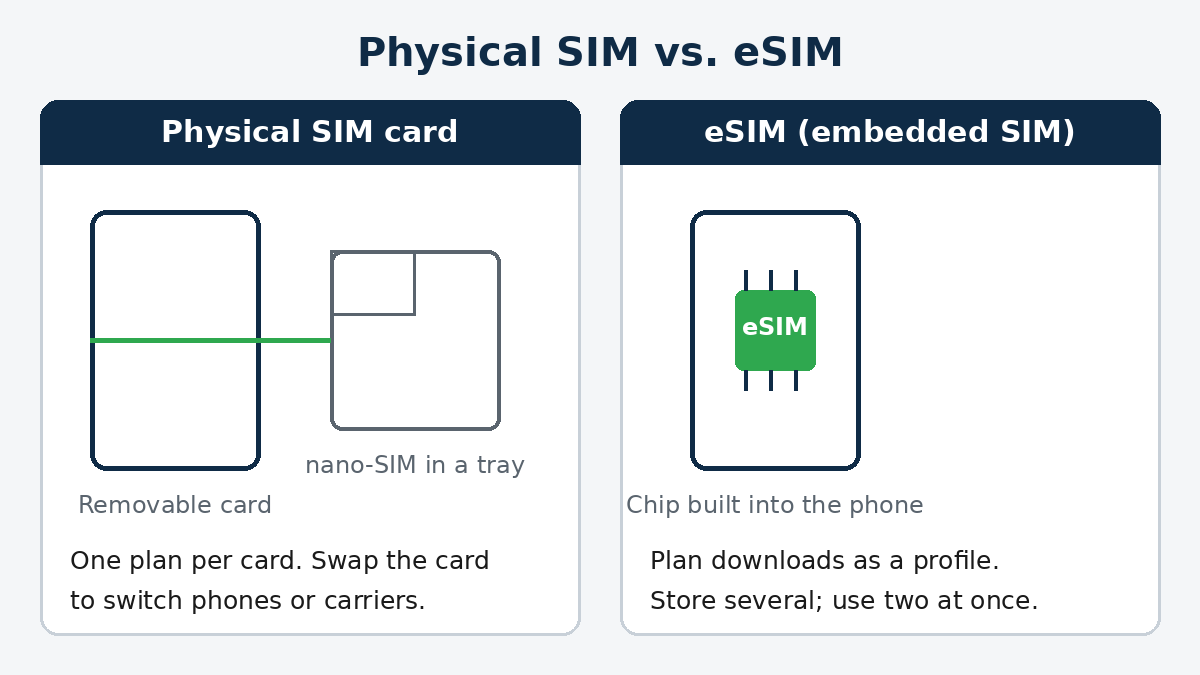
Diagram: Stack and Value. A physical SIM is a removable card; an eSIM is a chip built into the phone that stores your plan as a downloadable profile.
What it is
SIM stands for Subscriber Identity Module — the hardware that tells the carrier network which account a phone belongs to. A physical SIM does that job on a tiny removable card in a tray.
An eSIM ("embedded SIM") does the same job on a chip soldered inside the phone. Your carrier sends your plan as a digital profile, which the phone downloads and stores on that chip. Same number, same plan — delivered as software instead of plastic.
How it differs from a physical SIM
Where eSIM wins:
- Switching is a download, not a delivery. Joining or switching carriers takes minutes in an app — no card in the mail, no store visit.
- One phone, several plans. Most eSIM phones store multiple profiles — current iPhones hold eight or more — with two active at once, e.g. a personal and a work line.
- Nothing to lose. No card to misplace or leave in an old phone.
- Travel is easier. Add a local data plan for a trip without removing your home SIM (more below).
Where a physical SIM still wins:
- Swapping phones is instant. Moving a card takes seconds and no carrier involvement. Moving an eSIM means a transfer flow or asking the carrier to reissue the profile.
- Compatibility is universal. Any phone with a tray accepts a card; eSIM needs the phone, carrier, and regional model to all support it.
Which phones support eSIM in 2026
Support is now standard on flagships:
- Apple: every iPhone from the XS and XR (2018) onward supports eSIM. US models from the iPhone 14 onward are eSIM-only, and the iPhone 17 line and iPhone Air are eSIM-only in every market. iPhone 13 and later run two active eSIMs.
- Samsung: Galaxy S20 and later S-series, the Note 20, and all Galaxy Z Fold and Z Flip support eSIM. Mid-range A-series support varies by region.
- Google: every Pixel from the Pixel 4 onward supports eSIM; Pixel 7 and later run two active eSIMs.
Not sure about your phone? Dial *#06#. If a long number labelled EID appears alongside the IMEI, the phone has eSIM hardware. One catch: the phone must be carrier-unlocked before it accepts another carrier's eSIM.
How to activate one
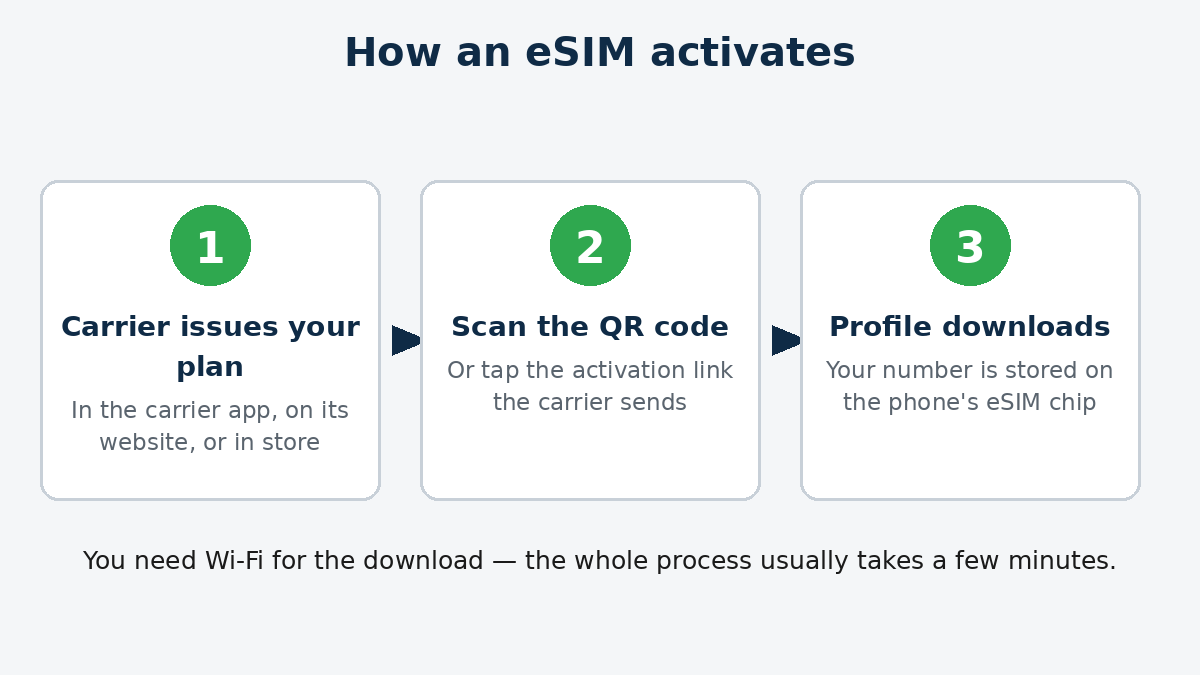
Diagram: Stack and Value. Activation is a download — you will need Wi-Fi while it happens.
Menus vary slightly; the flow is the same:
- Get the plan. Order service in your carrier's app or on its website, or buy a travel eSIM in an app. You'll get a QR code, an activation link, or an in-app install button.
- Add it in Settings. On iPhone: Settings → Cellular → Add eSIM. On Samsung: Settings → Connections → SIM manager → Add mobile plan. On Pixel: Settings → Network & internet → SIMs → Add SIM.
- Scan and confirm. Scan the QR code (or tap the link), follow the prompts, and label the line — "Primary," "Work," "Travel" — so you can tell your plans apart.
- Moving from an old iPhone? Apple's eSIM Quick Transfer can move your plan directly from the old phone during setup, if your carrier supports it — no QR code needed.
The travel case
Travel is where eSIM earns its keep. Before a trip, buy a data plan, install it over Wi-Fi at home, and switch it on when you land — no airport SIM kiosk, no roaming bill. On a dual-SIM phone, your home line stays active for calls and texts while the travel eSIM handles data. Confirm your phone is unlocked first.
Bottom line
An eSIM is your carrier plan as a download instead of a card: faster to set up, easy to stack several plans, and ideal for travel — at the cost of slower phone swaps and a compatibility check before you buy. If your phone is only a few years old, the chip is probably already in it.
Member discussion