
What Is a Passkey? (2026)
A passkey signs you in with your face, finger, or PIN — no password to remember or type into a fake site. Here's how it works and how to create your first one.

You have probably seen the prompt by now: "Create a passkey?" It pops up on Google, Apple, Amazon, and other accounts, usually right after a normal password sign-in. A passkey is the replacement those sites are offering — and it asks less of you, not more.
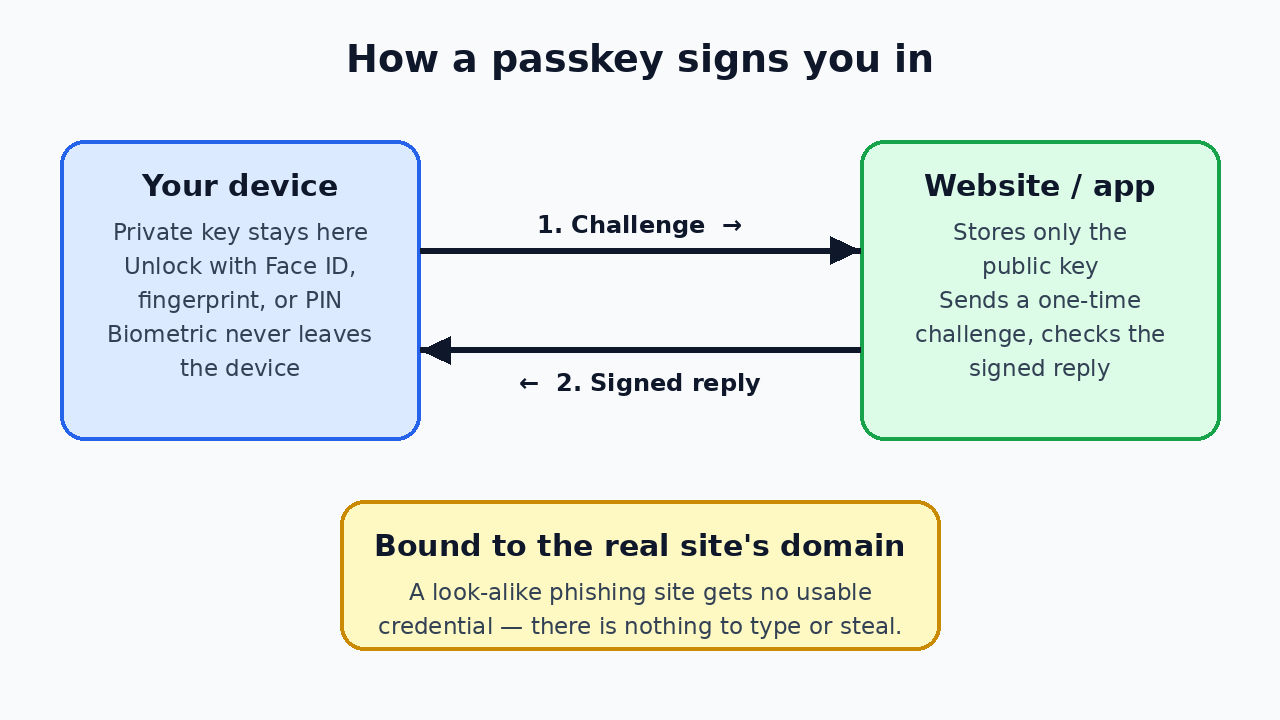
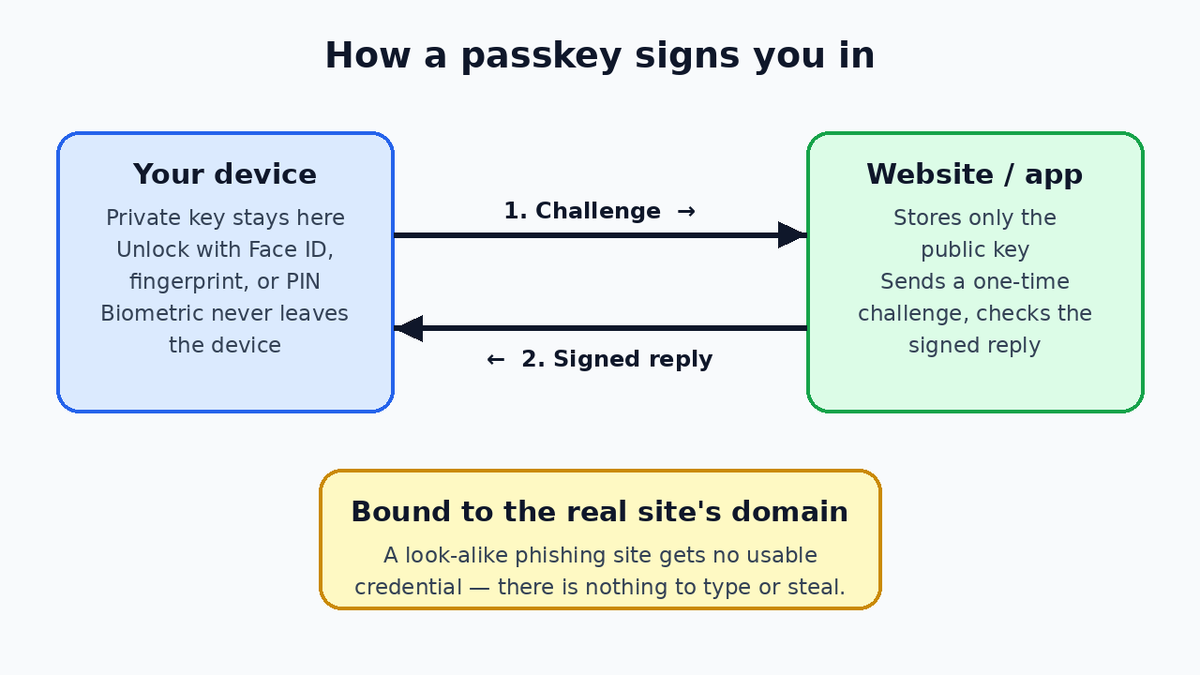
Diagram by Stack and Value (original illustration)
What a passkey is
A passkey is a sign-in credential stored on your devices instead of a secret you memorize and type. It is built on the FIDO2 standards — WebAuthn in the browser and CTAP between your device and other authenticators — from the FIDO Alliance, with Apple, Google, and Microsoft among its backers.
You unlock a passkey the same way you unlock your device: Face ID, Touch ID, a fingerprint, Windows Hello, or your device PIN. That unlock is the login. There is nothing to remember, nothing to type, and nothing to reuse by accident on another site.
How it works
When you create a passkey, your device generates a unique pair of cryptographic keys for that one account:
- The private key stays on your device (or synced securely, below) and is never sent to the website.
- The public key goes to the website, which stores it. It is not a secret and is useless to a thief on its own.
At sign-in, the website sends a one-time challenge. You approve it with your biometric or PIN — that check happens on your device, so your fingerprint or face data never goes to the site — and your device signs the challenge with the private key. The site verifies the signature and lets you in.
Most passkeys sync, so losing one device does not lock you out. Apple syncs them through iCloud Keychain, end-to-end encrypted, across iPhone, iPad, and Mac. Google syncs them through Google Password Manager across Android and Chrome. Microsoft offers passkeys with Windows Hello, and third-party password managers can sync them too. The exception is a hardware security key: its passkey stays on that key.
Why it matters: phishing resistance
This is the big difference. A passkey is bound to the real site's domain. On a convincing look-alike page, your browser will not offer it, because the domain does not match — there is no password to type into the fake form and no code to hand over.
Server breaches change too. If a site is hacked, what leaks is public keys, which cannot be replayed or cracked into a login. And because you never create the secret, a passkey cannot be weak, guessed, or reused.
How passkeys differ from passwords and 2FA
A password is a shared secret: you know it, the site can check it, and anyone who learns it can use it from anywhere. Two-factor authentication (2FA) adds a second step on top — a texted or app-generated code — but codes can still be phished in real time, and texted codes can be redirected if your number is hijacked.
A passkey folds both steps into one action: having your device is the first factor, unlocking it is the second — without copying codes or keeping the weak password underneath.
How to start using passkeys
- Start with an important account. Google, Apple, and Microsoft accounts are good first choices; each offers a "create a passkey" option in its security settings.
- Look in security settings elsewhere. Banks, shopping, and social accounts increasingly list "Passkeys" alongside password settings, and many offer to create one right after you sign in.
- Approve it with your usual unlock. Face ID, fingerprint, Windows Hello, or PIN.
- Keep your password and recovery options for now. Most sites keep the password as a backup, and not every site supports passkeys yet. Make sure your recovery email and phone number are current first.
The bottom line
A passkey replaces a memorized, reusable, phishable secret with a unique key pair that lives on your devices and is unlocked by your face, finger, or PIN. It signs you in faster, it cannot be typed into a fake site, and a breach at the website exposes nothing usable. Where a site offers one, creating it is one of the simplest security upgrades available.

Member discussion