
Best Laptops of 2026
Five laptops worth buying in 2026 — from the $699 HP OmniBook 5 with an OLED screen to the MacBook Air M5 and Dell XPS 14 — with prices verified November 9, 2026.

The best laptop in 2026 is not the most expensive one — it is the one that disappears into your day: fast enough to stop thinking about, light enough to carry without planning around it, with enough battery to leave the charger at home. The five picks below cover that brief at five prices, from a $699 OLED budget machine to a $1,799 creator laptop. Prices verified November 9, 2026.
Quick picks
- Apple MacBook Air 13-inch (M5) — Best overall: fanless, 2.7 lb, 16GB/512GB standard, $1,139.
- Apple MacBook Pro 14-inch (M5) — Best for creators: XDR screen at 120Hz, HDMI and SD built in, $1,799.
- Dell XPS 14 (2026) — Best Windows ultrabook: Panther Lake, physical function keys back, from $1,349.
- ASUS Zenbook 14 OLED — Best Windows value: touchscreen, 16GB/1TB, $1,189.99.
- HP OmniBook 5 14 — Best budget pick: OLED touchscreen and HDMI for $699.99.
How we picked
- 16GB is the floor for the premium picks: every laptop above $1,000 here has at least 16GB of memory and a 512GB SSD. The one exception is the budget pick, called out plainly.
- Current chips only: Apple M5 and current Intel Core Ultra parts — no last-generation leftovers dressed up as deals.
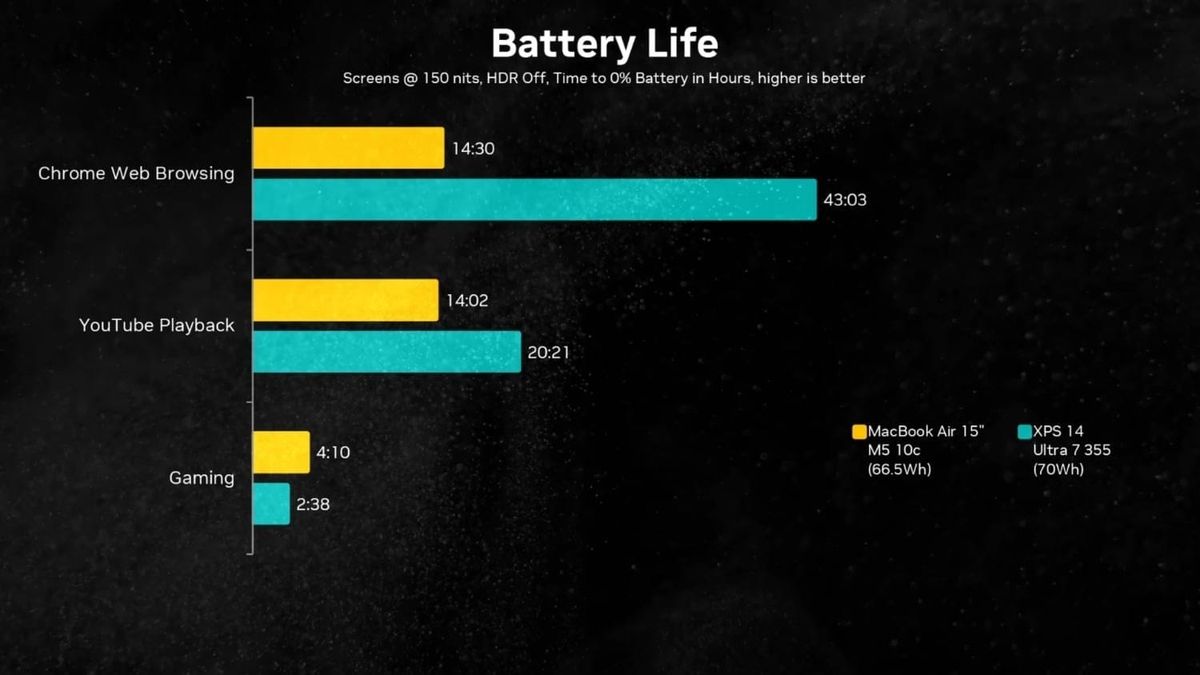
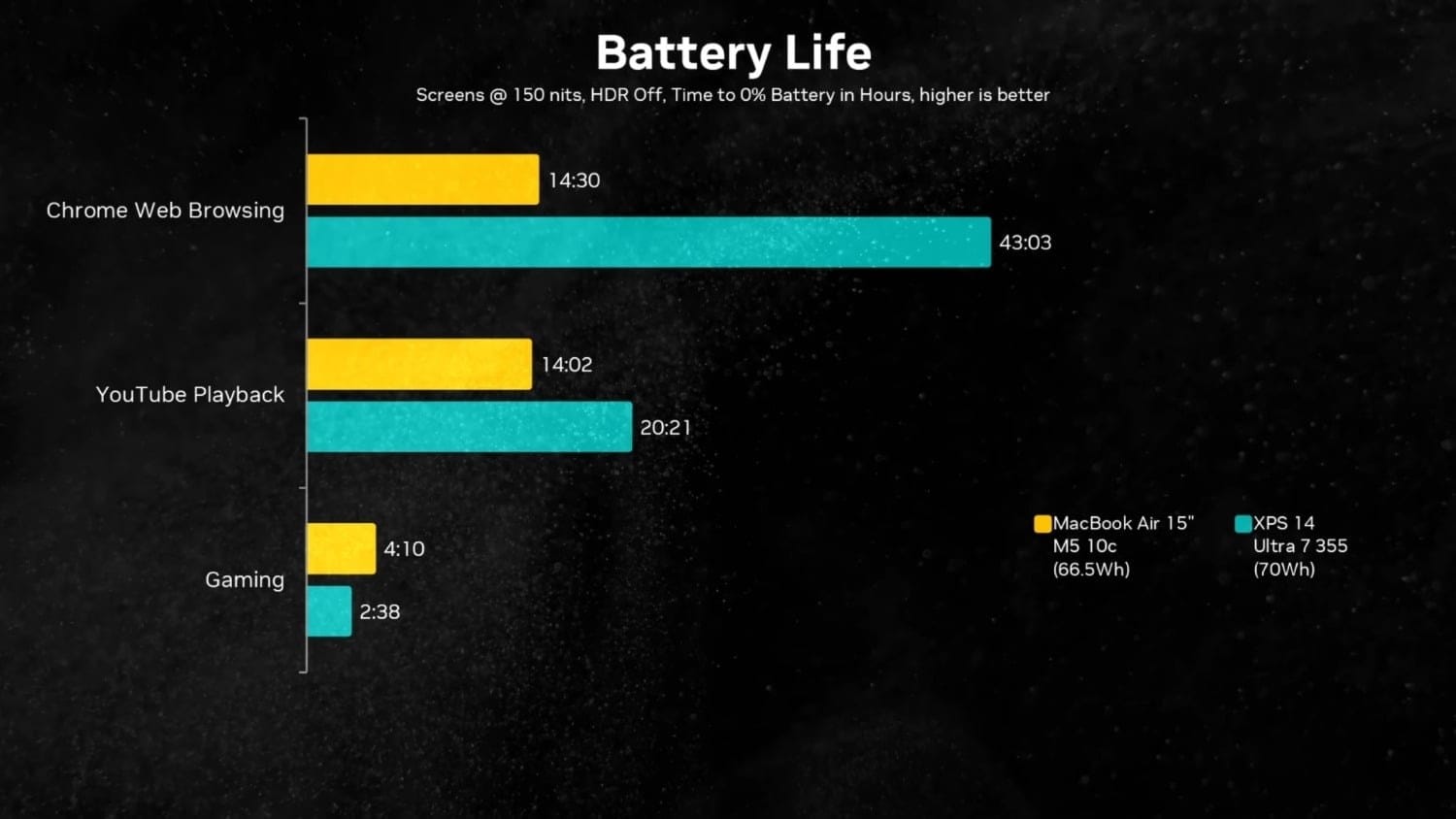
- Battery claims, discounted: maker figures are quoted as maker figures; across 2026 reviews, LCD models outlast OLED flagships away from a desk.
- Ports are part of the price: a laptop that needs a $70 hub to reach a monitor is not really the price on its tag.
Apple MacBook Air 13-inch (M5) — Best Overall
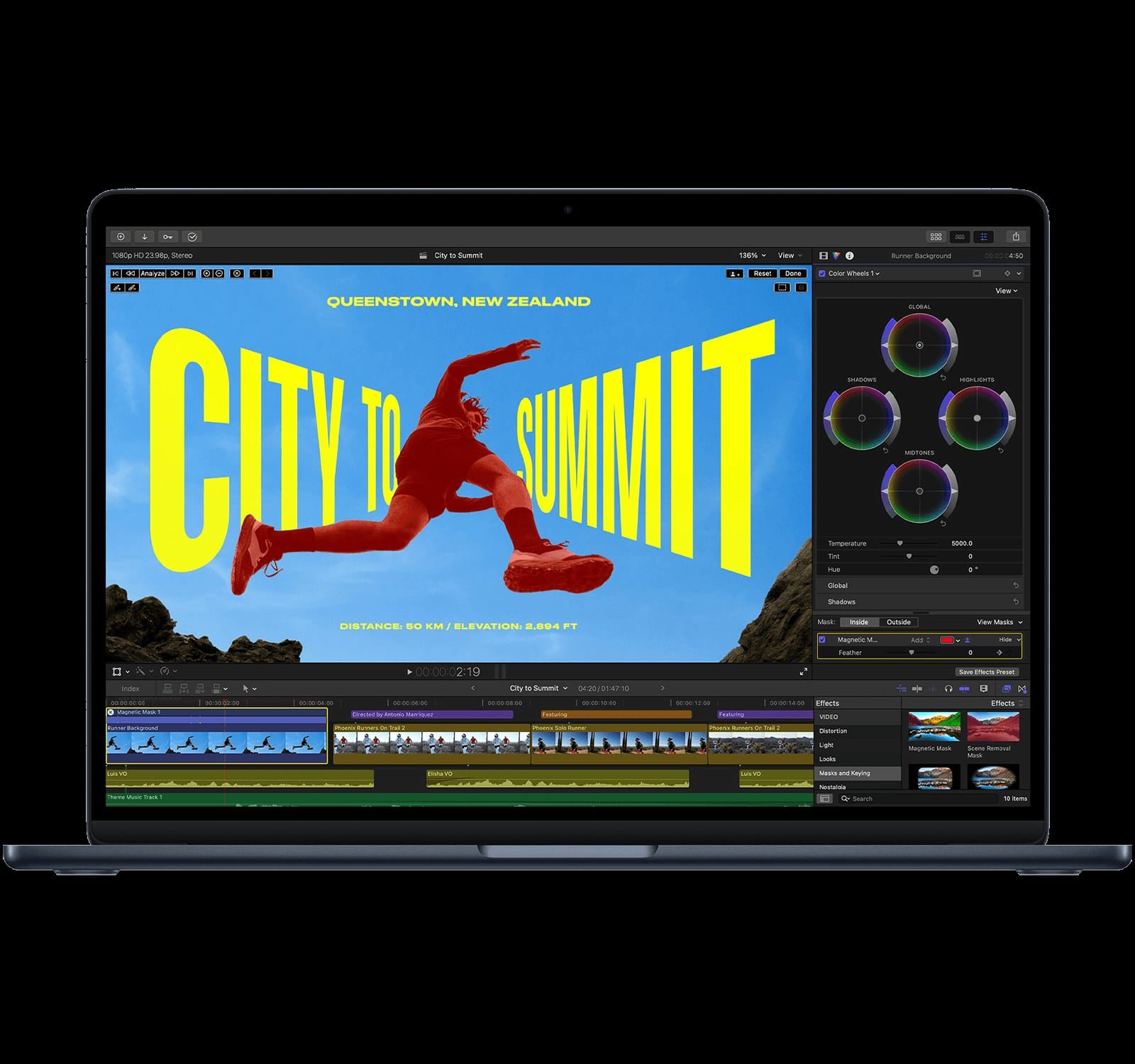
The MacBook Air with M5 is the default answer for most buyers, and the 2026 version fixed its weakest point: storage. The base machine now starts at 512GB instead of 256GB, with 16GB of unified memory, a 10-core CPU, and an 8-core GPU in a fanless aluminum body — 2.7 lb, 0.44 inches thin, and silent because there is no fan. Apple rates battery life at up to 18 hours. Add a 500-nit Liquid Retina display, a 12MP Center Stage camera, MagSafe, two Thunderbolt 4 ports, and Wi-Fi 7, and at $1,139 — $160 under list — it undercuts most premium Windows ultrabooks. The limits are familiar: memory and storage are fixed at purchase, and there is no touchscreen.
Standout features:
- Apple M5, 10-core CPU / 8-core GPU; fanless and silent
- 16GB unified memory and 512GB SSD standard
- 13.6-inch Liquid Retina display, 500 nits
- Up to 18 hours battery life (Apple rating); 2.7 lb
- 12MP Center Stage camera; MagSafe + 2x Thunderbolt 4; Wi-Fi 7
Price & where to buy: $1,139 at Amazon, as of November 9, 2026 — Buy the MacBook Air 13-inch (M5) at Amazon
Who it's for: Students, writers, and most professionals who want one laptop for everything.
Apple MacBook Pro 14-inch (M5) — Best for Creators
The 14-inch MacBook Pro is the Air's formula with the compromises removed. The same M5 chip gets active cooling for sustained work, and the screen steps up to a 14.2-inch Liquid Retina XDR display with ProMotion at up to 120Hz and up to 1,600 nits peak brightness. The configuration priced here — 16GB and a 1TB SSD in Silver — is the sensible creator build for photo, video, and code.
What separates it day to day is everything around the chip: three Thunderbolt 4 ports instead of two, plus HDMI, an SDXC card slot, and MagSafe. It is heavier than the Air at 3.4 lb and costs $660 more — money that buys screen quality and sustained speed. Apple has since announced an M6 successor at $1,999, which is why this M5 model is discounted.
Standout features:
- Apple M5, 10-core CPU / 10-core GPU, active cooling
- 14.2-inch Liquid Retina XDR, ProMotion 120Hz, up to 1,600 nits peak
- 16GB unified memory, 1TB SSD
- 3x Thunderbolt 4, HDMI, SDXC card reader, MagSafe 3
- Up to 24 hours battery life (Apple rating)
Price & where to buy: $1,799 at Amazon, as of November 9, 2026 — Buy the MacBook Pro 14-inch (M5) at Amazon
Who it's for: Photographers, video editors, and developers whose work fills an SD card or drives two displays.
Dell XPS 14 (2026) — Best Windows Ultrabook
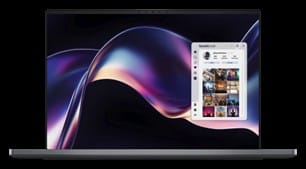
The XPS 14 is Dell's course correction, and it lands. The touch-sensitive function row is gone — physical function keys are back — the glass touchpad now has etched borders, and the CNC aluminum body is down to about 3.0 lb and 14.6 mm thin. Inside are Intel Core Ultra Series 3 (Panther Lake) processors with Intel Arc graphics.
Buyers choose between two screens: a 2K LCD with a 1–120Hz variable refresh rate, which Dell rates at up to 27 hours of streaming, and a 2.8K tandem OLED touchscreen that looks better and gives back several hours of that battery. Pricing is configuration-sensitive — the line starts at $1,349 and OLED builds run past $2,000 — so check the exact configuration in Dell's cart.
Standout features:
- Intel Core Ultra Series 3 (Panther Lake), Intel Arc graphics
- 14-inch 2K LCD (1–120Hz) or 2.8K tandem OLED touch
- Physical function row restored; etched touchpad borders
- About 3.0 lb, 14.6 mm; CNC aluminum
- Up to 27 hours streaming, LCD model (Dell rating)
Price & where to buy: $1,349 at Dell, as of November 9, 2026 — Buy the Dell XPS 14 (2026) at Dell
Who it's for: Windows buyers who want a MacBook Pro-class build — and who will pick the LCD if battery matters most.
ASUS Zenbook 14 OLED — Best Windows Value
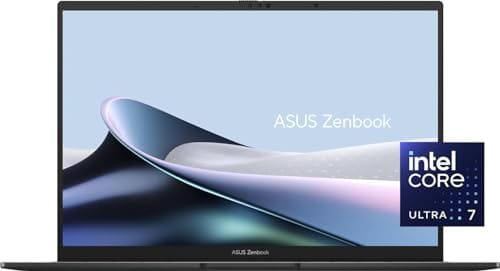
The Zenbook 14 OLED undercuts the XPS 14 with a good screen and a full port selection in a 2.82 lb body for under $1,200. The configuration priced here pairs an Intel Core Ultra 7 155H (16 cores) with 16GB of memory and a 1TB SSD — double the XPS 14's starting storage — behind a 14-inch WUXGA touchscreen rated at 500 nits with 100% DCI-P3 color.
The port list is the practical headline: two Thunderbolt 4 ports, USB-A, HDMI 2.1, and a headphone jack, so peripherals connect without a hub. The 75Wh battery is large for this class. Trade-offs: a 60Hz screen, and a retailer-configured listing — confirm the specs before you check out.
Standout features:
- Intel Core Ultra 7 155H, 16 cores; Intel Arc graphics
- 16GB memory and 1TB SSD at this price
- 14-inch WUXGA touchscreen, 500 nits, 100% DCI-P3
- 2x Thunderbolt 4, USB-A, HDMI 2.1, headphone jack
- 75Wh battery; 2.82 lb
Price & where to buy: $1,189.99 at Amazon, as of November 9, 2026 — Buy the ASUS Zenbook 14 OLED at Amazon
Who it's for: Windows buyers who want a touchscreen, 1TB of storage, and real ports for under $1,200.
HP OmniBook 5 14 — Best Budget Pick
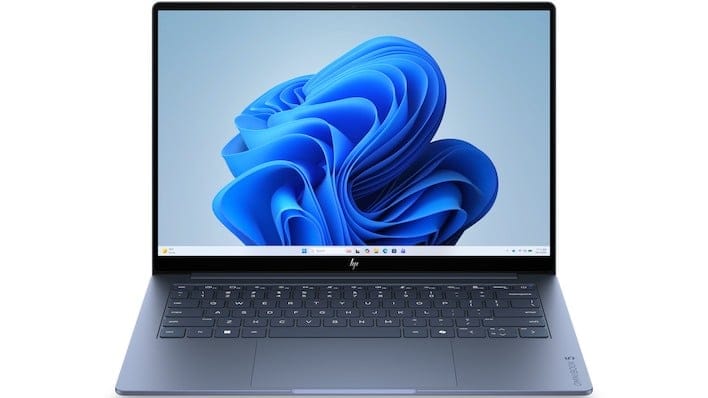
The OmniBook 5 is the budget pick that does not look like one: an aluminum 14-inch laptop, 11.7 mm thin and about 2.6 lb, with a 1920×1200 OLED touchscreen at 100% DCI-P3 — a display class that usually starts several hundred dollars higher. HP rates it at up to 42 hours of local video playback; treat that as a best-case maker figure, but even a fraction of it is a full workday.
The caveat is the base configuration: $699.99 buys an Intel Core 5 320 with 8GB of memory and a 256GB SSD, and the memory cannot be upgraded later. For browsing, documents, and streaming that is enough. Heavy tab users should step up to the 16GB configuration — or to the Zenbook above.
Standout features:
- 14-inch 1920×1200 OLED touchscreen, 100% DCI-P3
- Intel Core 5 320; 180-degree hinge; aluminum, about 2.6 lb
- Up to 42 hours local video playback (HP rating)
- HDMI, 2x USB-C, headphone jack — no hub needed
- 8GB/256GB base; 16GB configurations available
Price & where to buy: $699.99 at HP, as of November 9, 2026 — Buy the HP OmniBook 5 14 at HP
Who it's for: Students and everyday users who want an OLED screen and an all-metal laptop at a Chromebook-plus price.
Bottom line
Most people should buy the MacBook Air 13-inch (M5) at $1,139 — the quietest, lightest full-power laptop here. Creators should step up to the MacBook Pro 14-inch (M5) at $1,799 while the M5 discount lasts. On Windows, the Dell XPS 14 from $1,349 is the flagship to beat, the ASUS Zenbook 14 OLED at $1,189.99 is the smarter spend for most, and the HP OmniBook 5 at $699.99 proves a budget laptop can still have an OLED screen worth looking at.


Member discussion